
Connect Android to Mac
&
Mac to Android
Seamlessly connect Android to Mac and Mac to Android — sync messages, notifications, calls, and files over local WiFi.
 Chrome Extension
Connect Android to Mac
View and reply to Android SMS, mirror notifications, manage calls, and transfer files directly on your Mac.
Connect Mac to Android
Send files, sync clipboard, trigger notification actions, and control your Android phone from your Mac seamlessly.
Looking for a KDE Connect alternative? Bounce Connect provides a native, seamless experience for Mac users to connect wirelessly.
Everything you need,
beautifully integrated.
Seamless integration that brings messages, calls, notifications, and files together across your devices.
A desktop SMS experience that feels native.
Send and receive SMS messages directly from your Mac without breaking your workflow. Designed to feel exactly like Apple's native Messages app, now with media staging support from Mac.
Take control of your incoming calls.
Don't reach for your phone when it rings. See exactly who's calling right on your Mac screen and decide how to handle it instantly.
Never miss an important alert again.
Your Android notifications are securely mirrored to macOS Notification Center. They look, act, and feel like native Mac alerts.
Copy here. Paste there.
The ultimate productivity hack. Unify your clipboard buffer across platforms so you never have to email yourself a link or snippet of text again.
Ultra-fast binary transfers with Resume Support.
Beam files directly over local WiFi with 512KB binary chunking and optimized encryption for near-gigabit speeds (up to 900Mbps/120MBps) on WiFi 5 (5GHz) or WiFi 6 networks.
Your entire address book, synced.
Bounce Connect automatically pulls your Android contact list into memory so you can easily identify callers and quickly compose new messages.
Uncompromising privacy and security.
Your data is yours. Unlike competing apps, Bounce Connect does not rely on third-party servers. Everything stays strictly on your local network.
Continuity across operating systems.
Bridge the gap between macOS and Android. Instantly open web links or maps from one device natively on the other.
A window into your phone's storage.
Don't guess where files are saved. Use the native Mac interface to remotely browse the exact directory structure of your Android device.
Total efficiency. Zero battery drain.
Unlike KDE Connect which constantly scans networks in the background, Bounce Connect is engineered to rest until you need it.
Granular control over your alerts.
Take complete control over which Android apps are allowed to push notifications to your Mac desktop, ensuring a distraction-free environment.
See it in action
Watch how seamlessly Bounce connects your Mac and Android.
Set up in seconds.
Three simple steps to connect your devices.
Download Both Apps
Install Bounce Connect on your Mac and Bounce Companion on your Android device.
Scan QR Code
Open both apps and scan the QR code shown on Mac with your Android device.
Start Syncing
That's it! Your devices are now connected and syncing automatically.
Android Companion App
A beautiful, lightweight app designed for seamless integration.
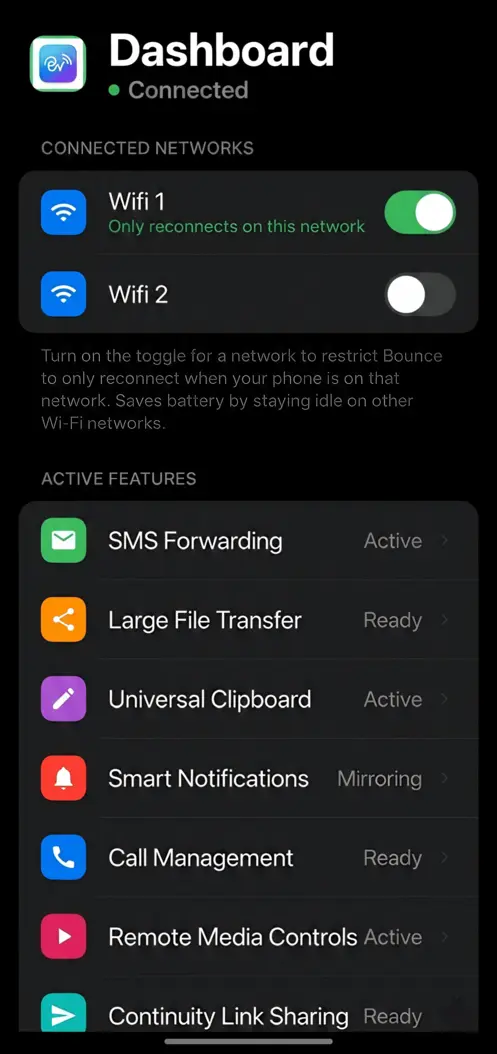
Smart WiFi Lock
Bounce lets you lock connections to specific WiFi. Making sure saving massive amounts of battery by stopping reconnections.
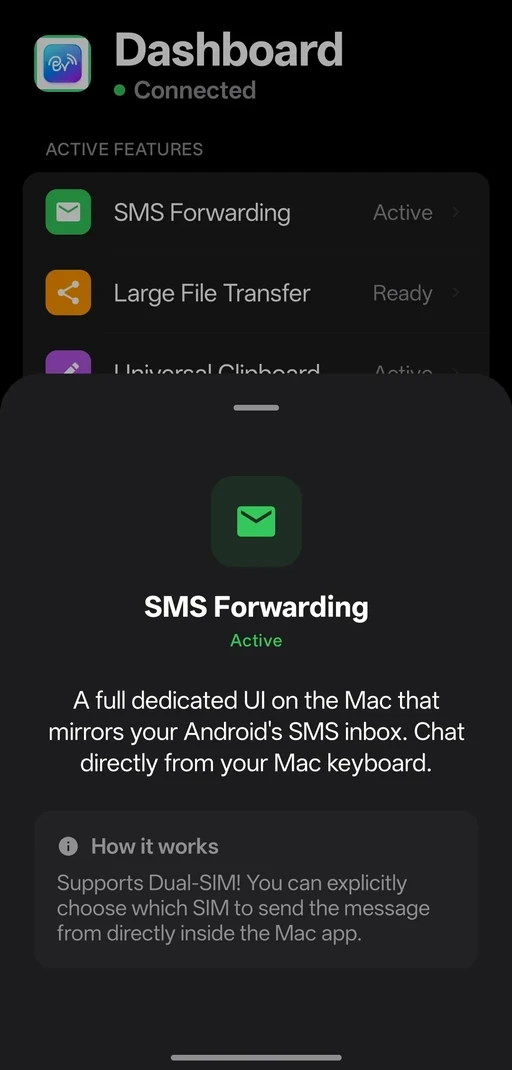
iMessage-Style SMS
A full desktop UI that mirrors your Android inbox. Dual-SIM support included.
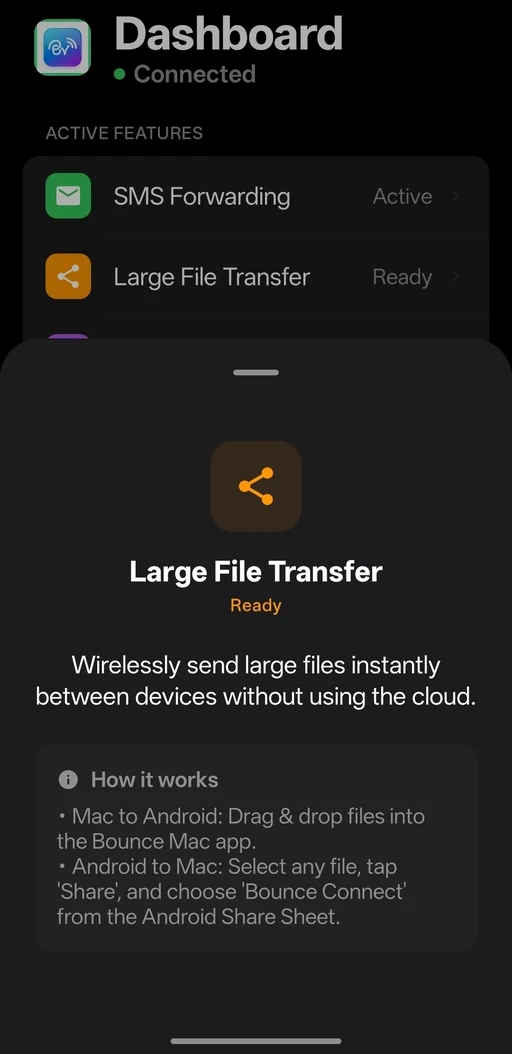
Large File Transfer
Wirelessly drag & drop multi-gigabyte files instantly, completely bypassing the cloud.
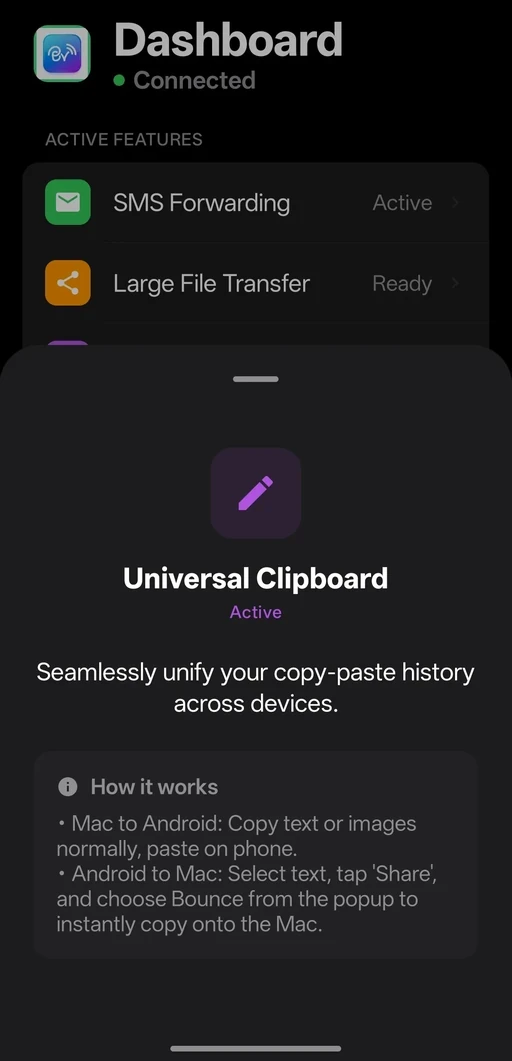
Universal Clipboard
Unify your copy-paste history seamlessly across Android and macOS.
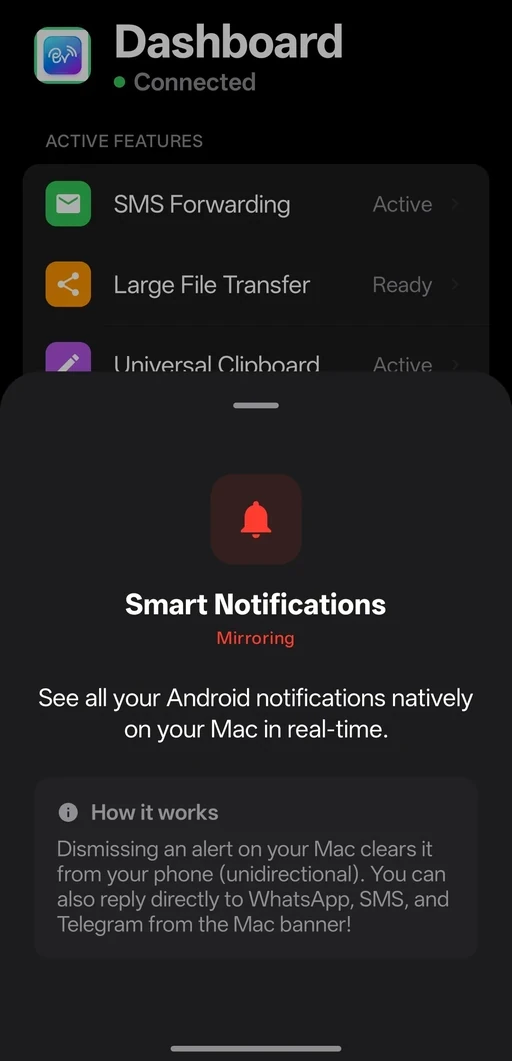
Smart Notifications
Mirror alerts, remote dismiss, and reply inline to WhatsApp & Telegram directly from Mac.
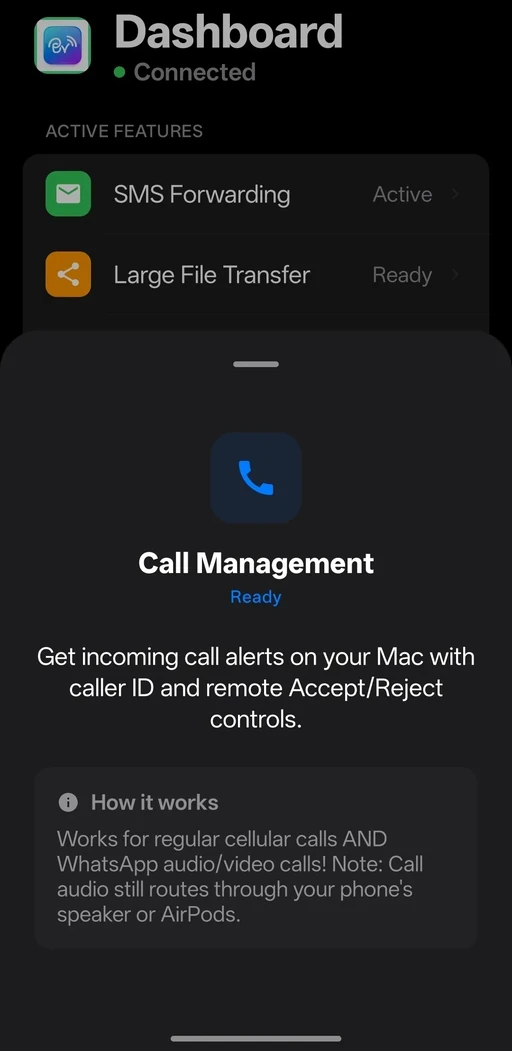
Call Management
Answer / Reject cellular and WhatsApp calls right from your Mac desktop.
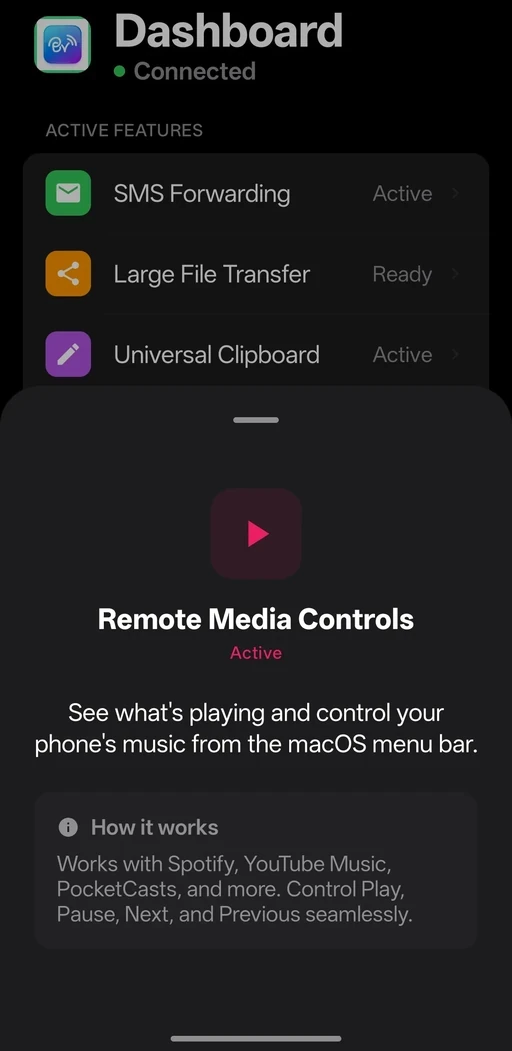
Remote Media Controls
See what's playing on Android and control playback via the Mac menu bar.
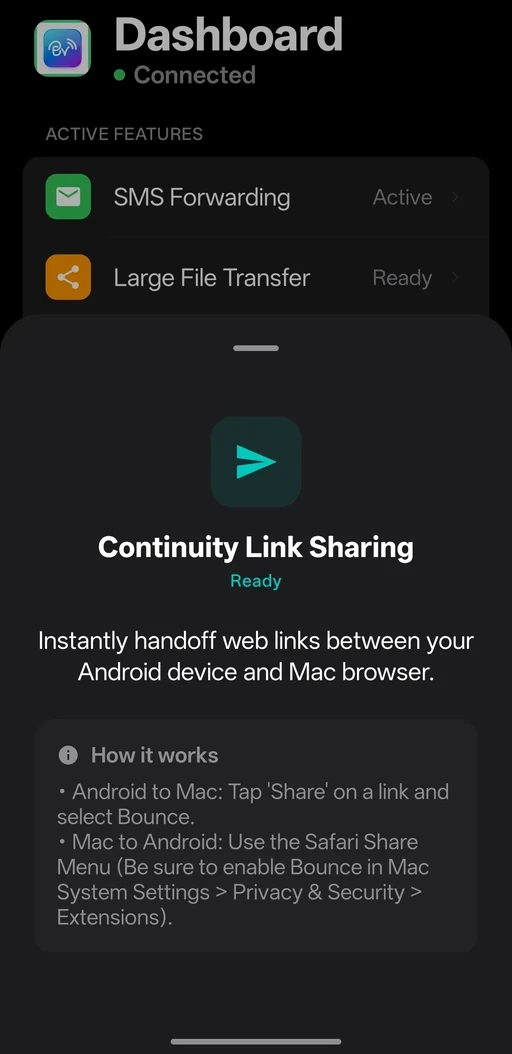
Continuity Links
Bounce web links between Android and Safari using the native Share Sheet.
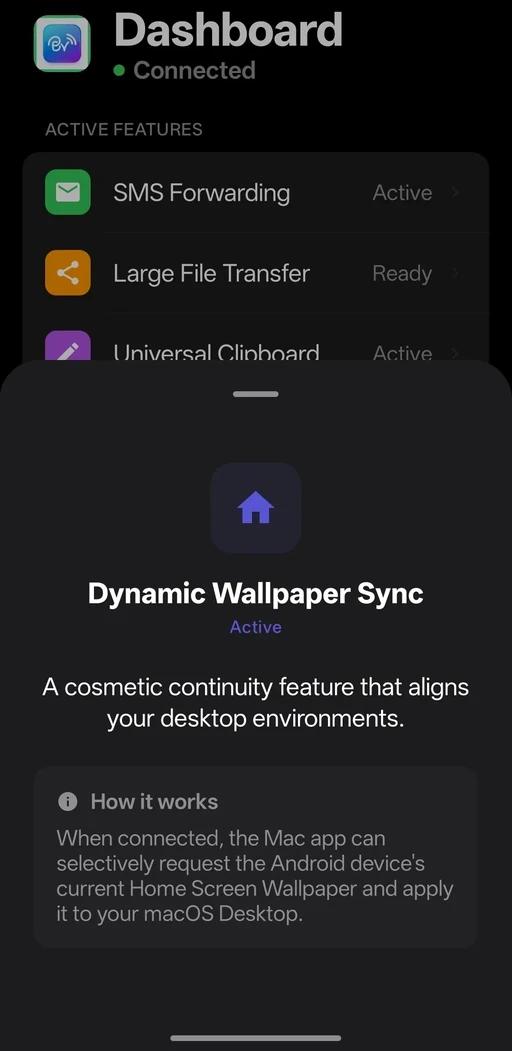
Wallpaper Sync
A cosmetic continuity feature that aligns your macOS and Android background aesthetics.
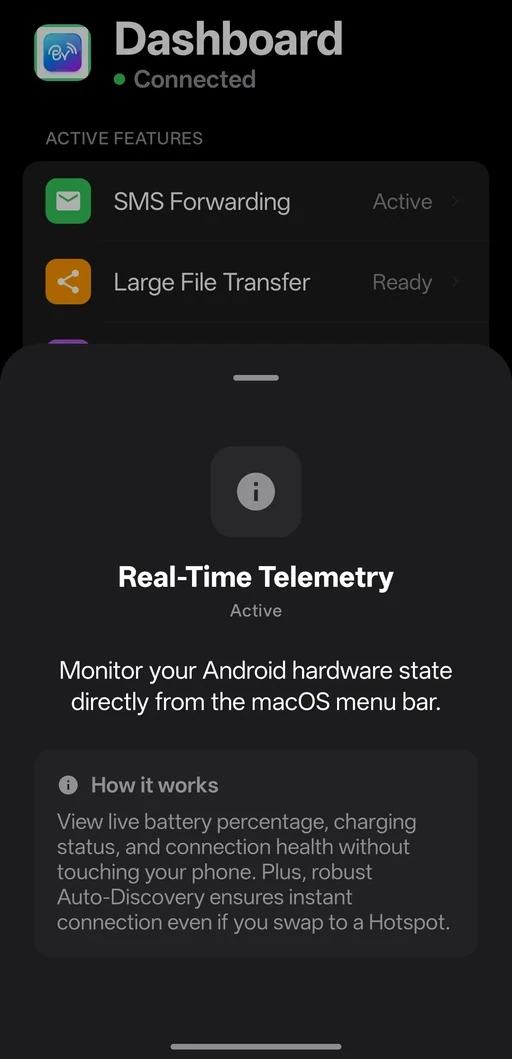
Real-Time Telemetry
Monitor your Android hardware state, battery health, and connection status directly from macOS.
Bounce Connect vs KDE Connect
The best KDE Connect alternative for Mac — here’s exactly why Bounce Connect wins.
Compare Bounce Connect vs KDE ConnectPure Native Performance
Bounce is built entirely from the ground up in native Swift, not a ported framework. This guarantees vastly better battery life, memory usage, and UI fluidity on macOS.
Beautiful Call Management
Answer, reject, and mute regular or WhatsApp calls with a native macOS call screen. KDE Connect completely misses WhatsApp calls.
Ultra-Fast Binary Transfers
Optimized 512KB chunking delivers near-gigabit speeds (up to 120MB/s) on WiFi 5/6 networks.
Full Message Composer
Unlike alternatives that gray out the 'New Message' button, Bounce features a complete, native composer for SMS.
Remote File Browser
Navigate your entire Android filesystem from Mac-explore DCIM, Downloads, Documents, and custom folders with lightning speed. Download multiple files instantly or pull a complete folder in one click from Mac. Features Seamless Resume technology that recovers interrupted downloads till 5 mins and 5 mins Auto-Cleanup that purges temp files automatically. Secure sandbox prevents unauthorized system access while maintaining full user directory freedom.
Dual-SIM Call Support
Take full control of your phone lines. Choose exactly which SIM card to call or text from, directly from your Mac. They don't support this level of integration.
Clipboard Sync
We sync more than raw text. Bounce bridges clipboard images and beautifully mirrors your Android wallpaper right onto the Mac desktop.
Advanced Call Log Sync
Your entire Android call history, synced instantly to the Mac app. View missed calls and redial with one click—a feature KDE Connect lacks.
Native Contact Dialer
Search your Android contacts directly from our spotlight-like interface to instantly dial or SMS them.
Inline Replies
Reply directly from Mac notifications (including WhatsApp and Telegram). KDE Connect just mirrors them passively without interaction.
Smart mDNS
Bounce uses Apple's mDNS to effortlessly find your phone even when IP addresses change on WiFi. No more annoying dropouts.
Safari Extension
Transform your browsing workflow with our native Safari extension. Share any webpage, article, or video link instantly to your Android browser with one tap-pages open automatically on your phone within seconds. Works seamlessly . Perfect for reading articles on your commute, switching between devices mid-research, or sending recipes to your mobile. Unlike clunky email-to-yourself workflows, this creates a true continuity bridge between your Mac and Android browsing.
Natural Clipboard
Utilizes Android's native share system. No manual triggers from annoying notification tiles required.
Notification Sync
A true cross-device bridge: use Android notification actions from your Mac, clear on either side, and Bounce auto-reconciles state after reconnect.
Proactive Media
Trigger and resume your favorite music app directly from the Mac menu bar.
Battery-Saving WiFi Lock
Unlike KDE Connect which constantly scans for networks, Bounce lets you lock connections to specific WiFi zones (like Home/Work), saving massive amounts of battery when you're away.
Beautiful on every platform.
Designed with elegance and functionality in mind.
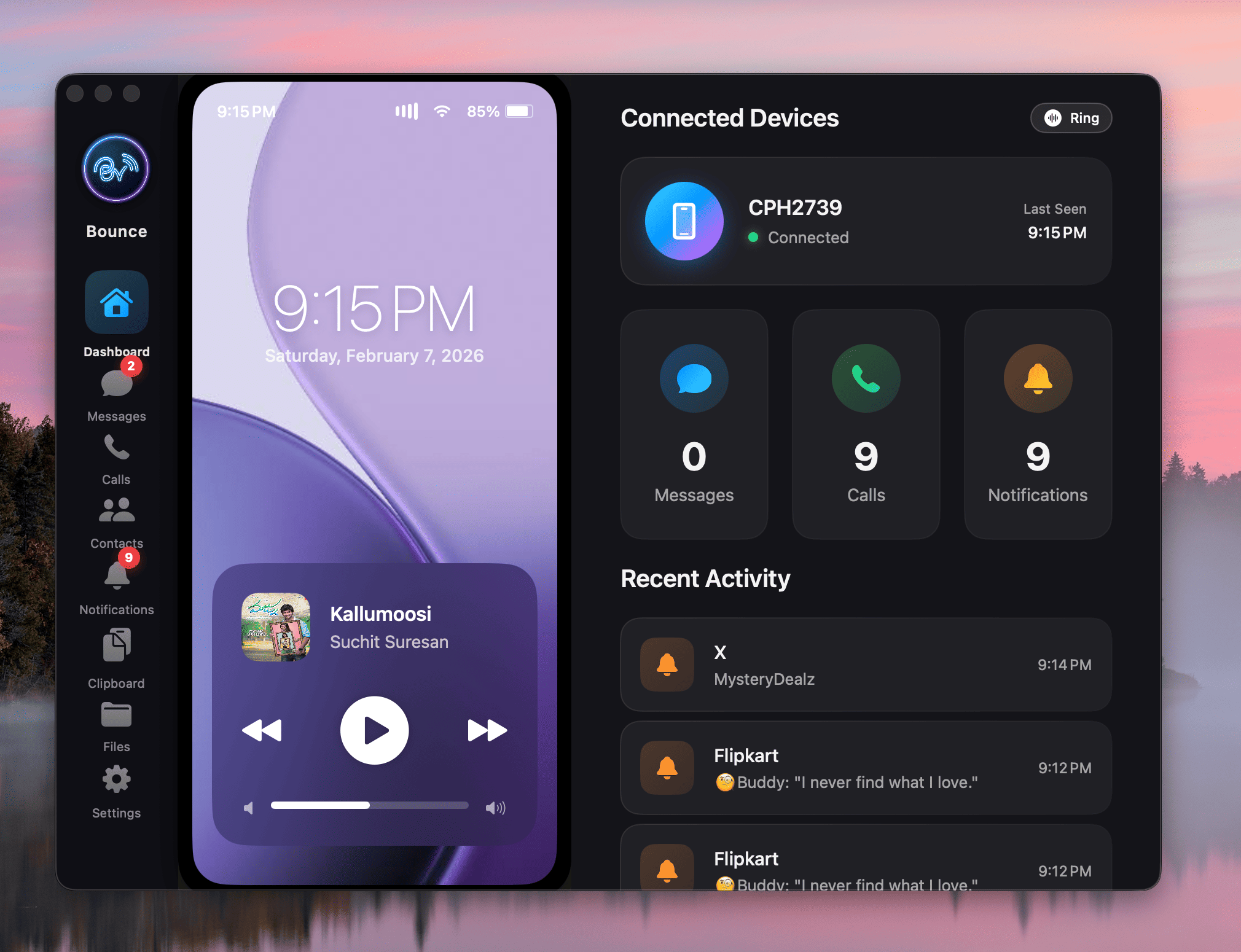
Contextual Dashboard
- Open the Bounce Mac app to instantly see your phone's live hardware status.
- Toggle active features and monitor connection health.
- Battery readings may occasionally delay by a few seconds due to Android OS background optimizations.
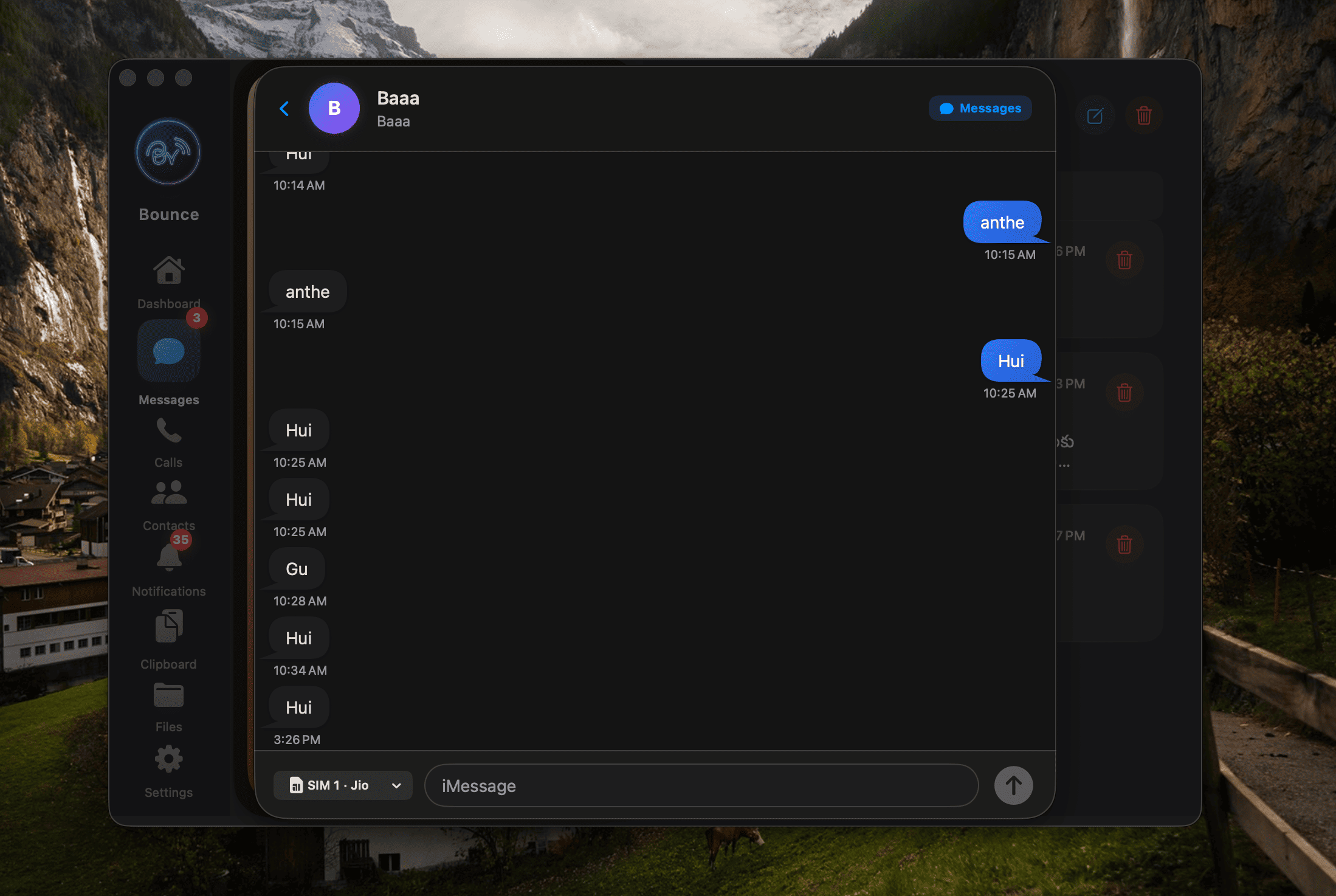
iMessage-Style SMS
- Navigate to the Messages tab to view all existing SMS threads.
- Compose new messages and natively select which SIM card to use for sending (Dual-SIM support).
- Attach supported photos/videos from Mac to prefill Android SMS composer.
- Android still requires one final manual tap on Send inside the SMS app after Bounce preloads media.
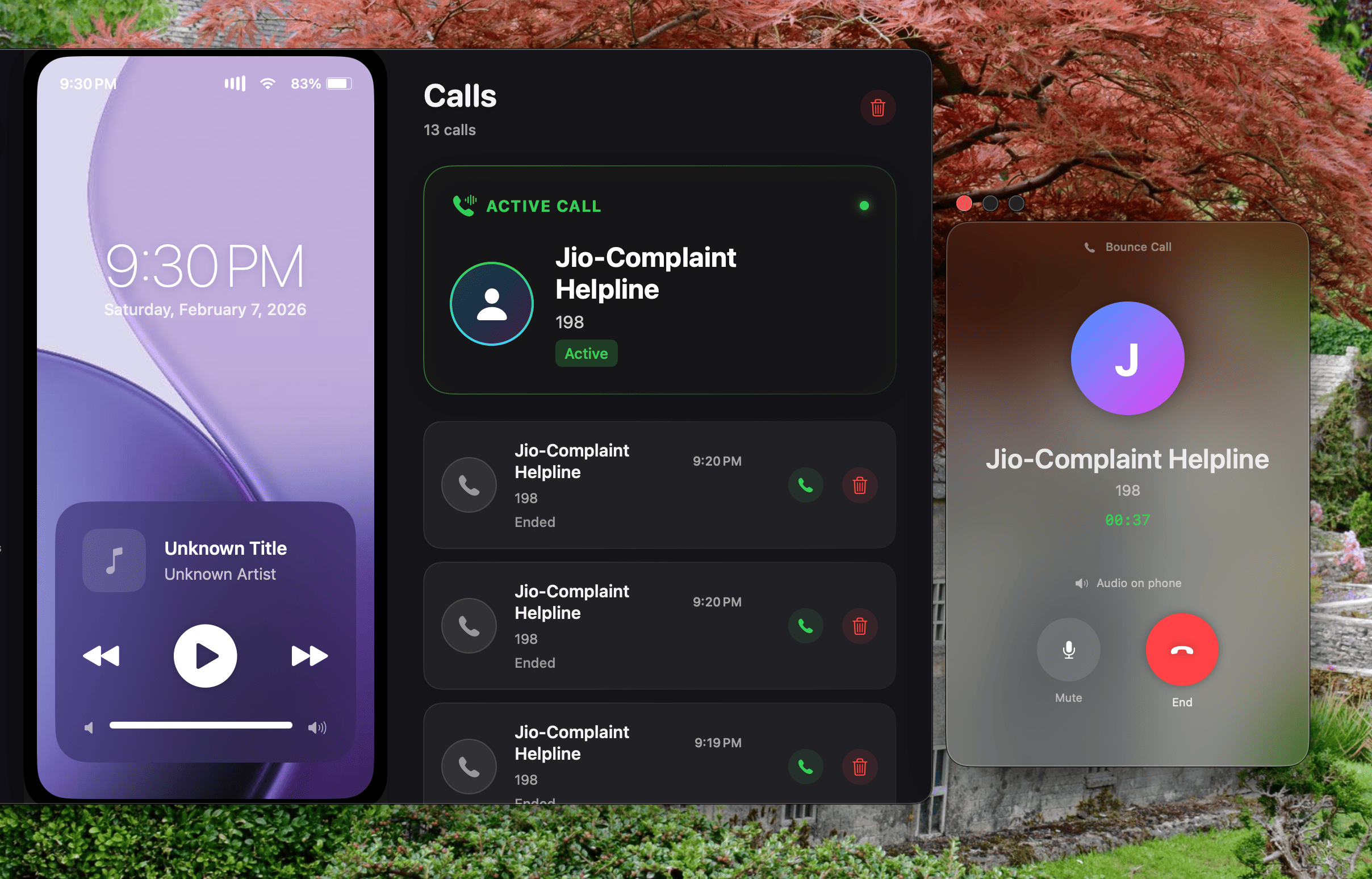
Smart Call Management
- Native macOS notification appears instantly for Cellular and WhatsApp calls.
- Click Accept or Decline directly from your Mac screen.
- Audio routing is not supported. Accepting a call on Mac will answer it on your Android phone's current audio route (e.g., Bluetooth earbuds or speaker).
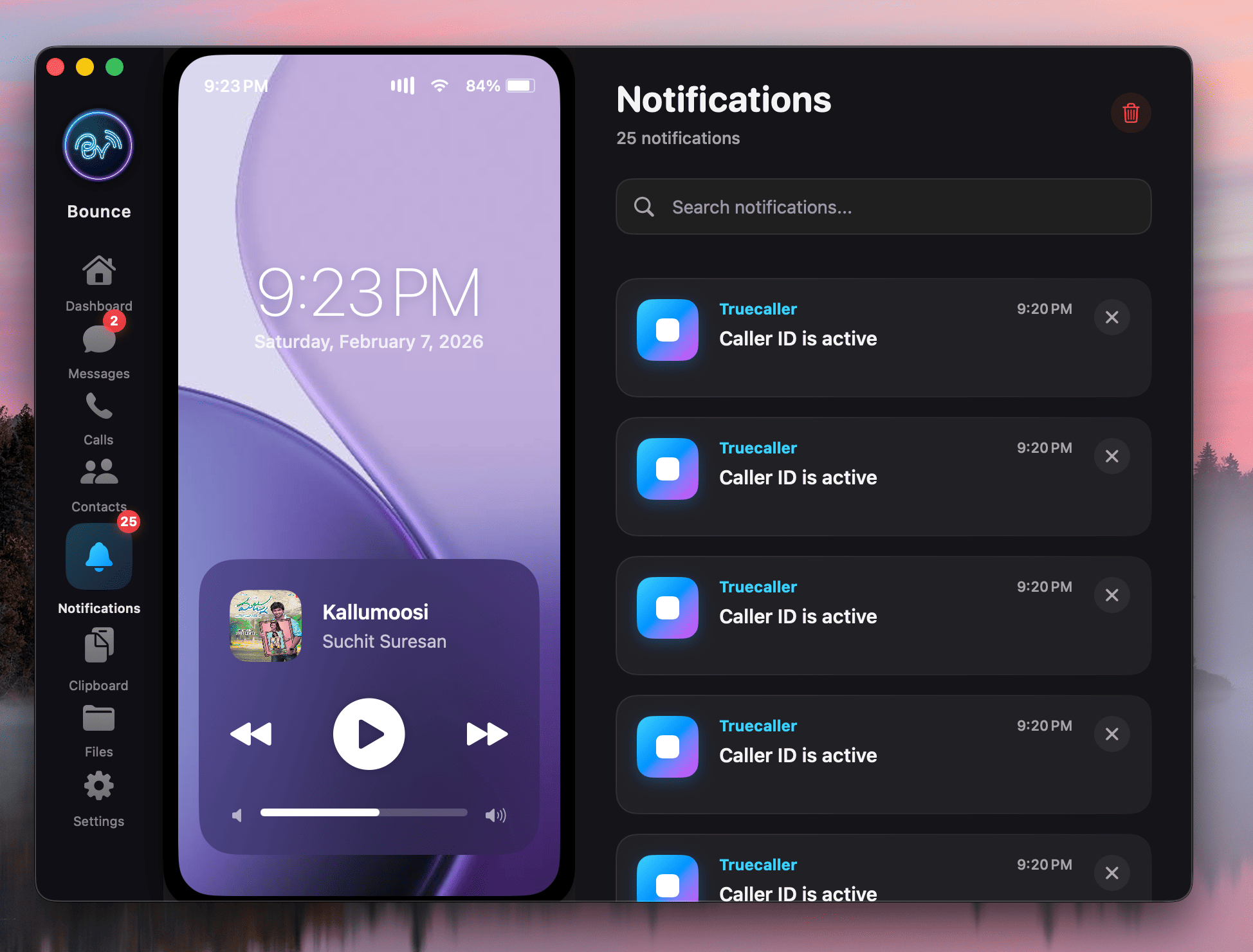
Unified Notifications
- Reply inline to WhatsApp, Telegram, and Messages via a native input field.
- Trigger supported Android notification actions (like mark read or archive) right from Mac.
- Dismiss on Mac or Android and Bounce keeps both devices in sync automatically.
- Use Manage App Notifications to selectively block noisy apps from reaching your Mac.
- Inline reply support depends on each Android app's exposed actions (for example, Gmail inline reply is currently not supported).
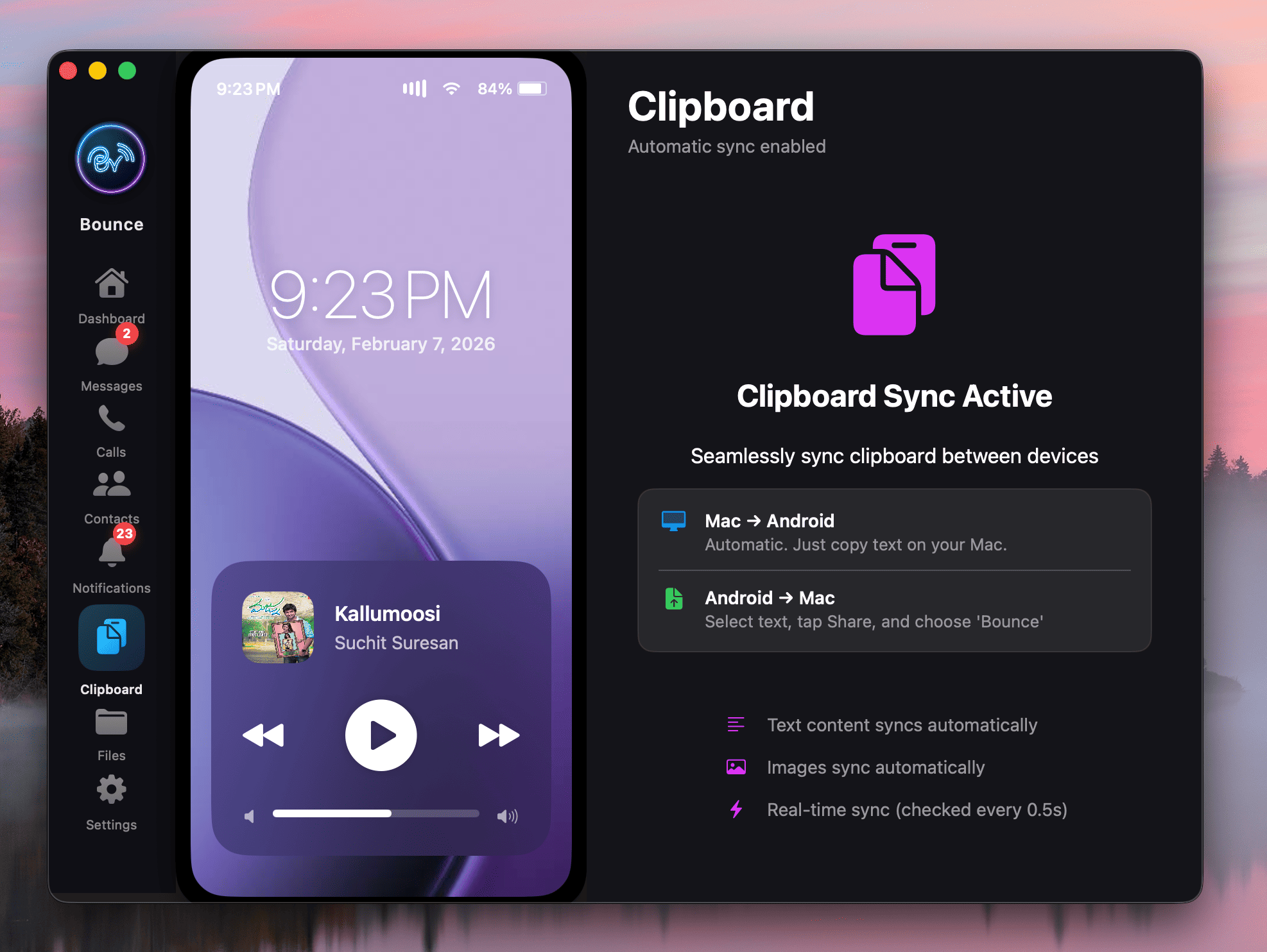
Universal Clipboard
- Mac-to-Android: Copy text or images on Mac; it automatically appears in Android's clipboard buffer.
- Android-to-Mac: Highlight text on Android, tap 'Share', and select Bounce.
- Due to strict Android background app restrictions, Android-to-Mac sync is limited to text blocks only.
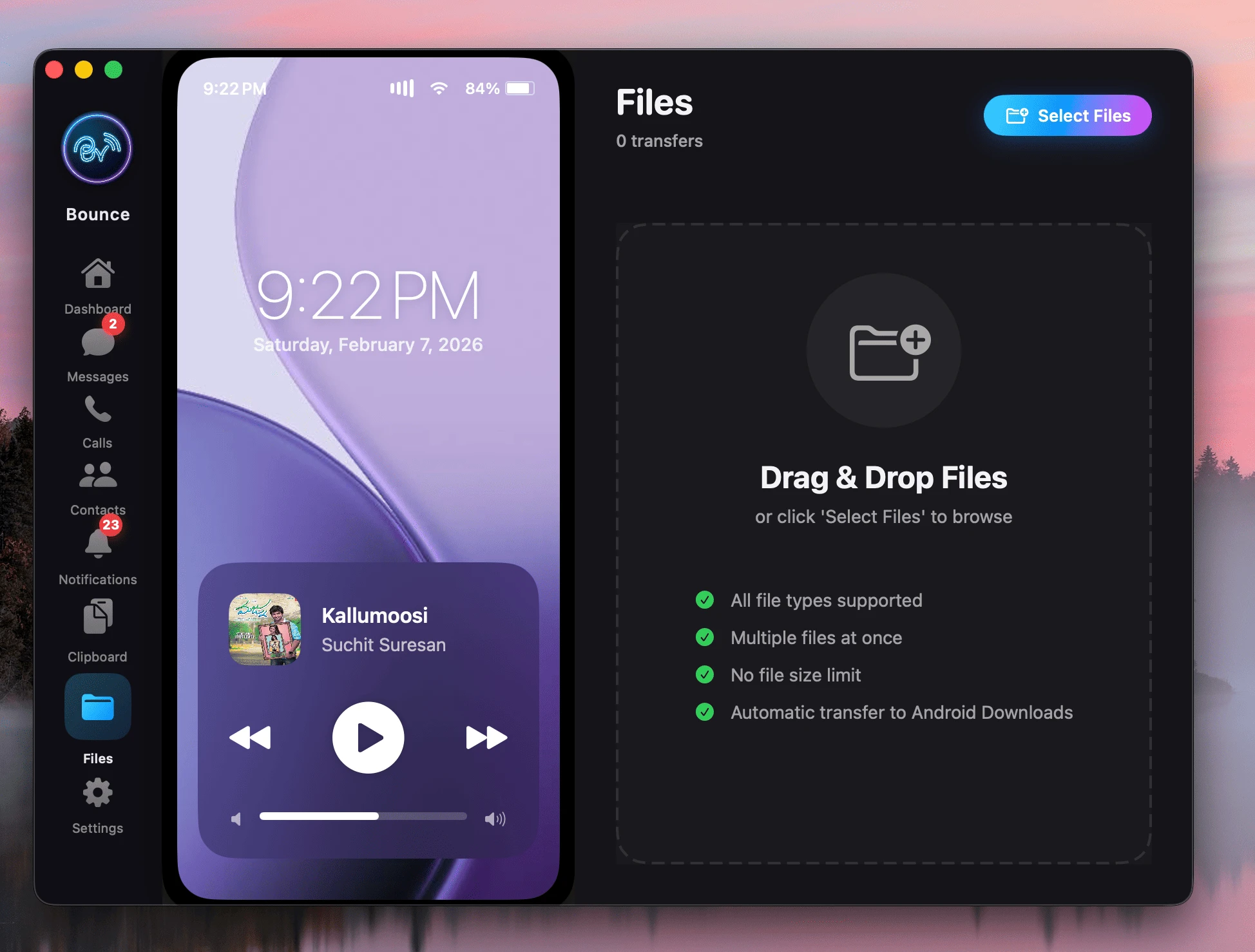
Ultra-Fast File Transfer
- Binary Protocol: Uses 512KB chunks for near-gigabit speeds (up to 900Mbps/120MBps) on WiFi 5/6.
- Resume: If WiFi drops, it resumes from the last chunk automatically.
- Cleanup: Temporary files are auto-cleaned after 300s of disconnection.
- Devices must naturally be on the same local Wi-Fi subnet router.
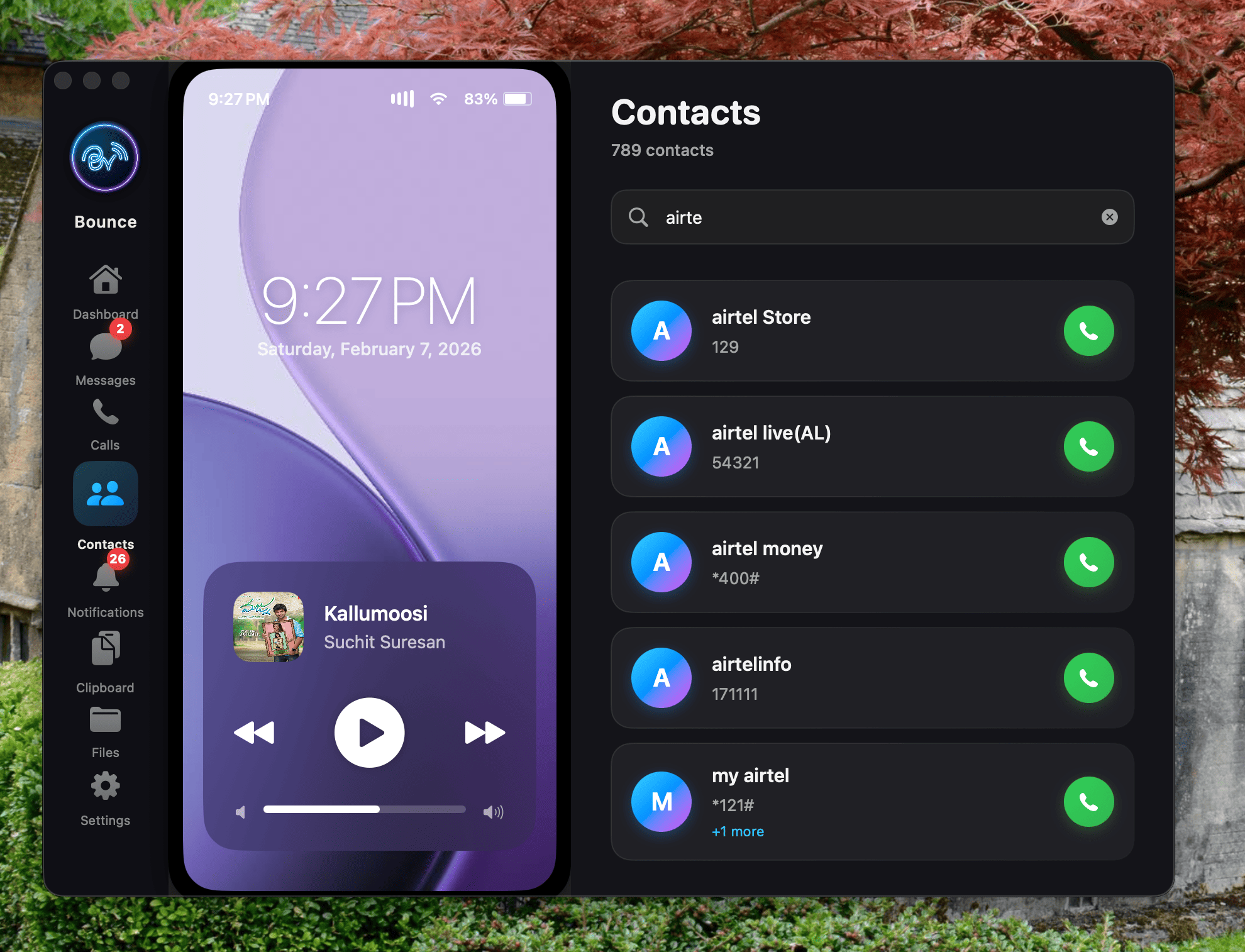
Native Contacts Sync
- Search seamlessly through your contacts via the Mac app sidebar.
- Click a contact to instantly dial them, initiate an SMS thread, or view details.
- Contacts are strictly Read-Only from the Mac. Adding or editing entries must be natively performed on the phone itself.
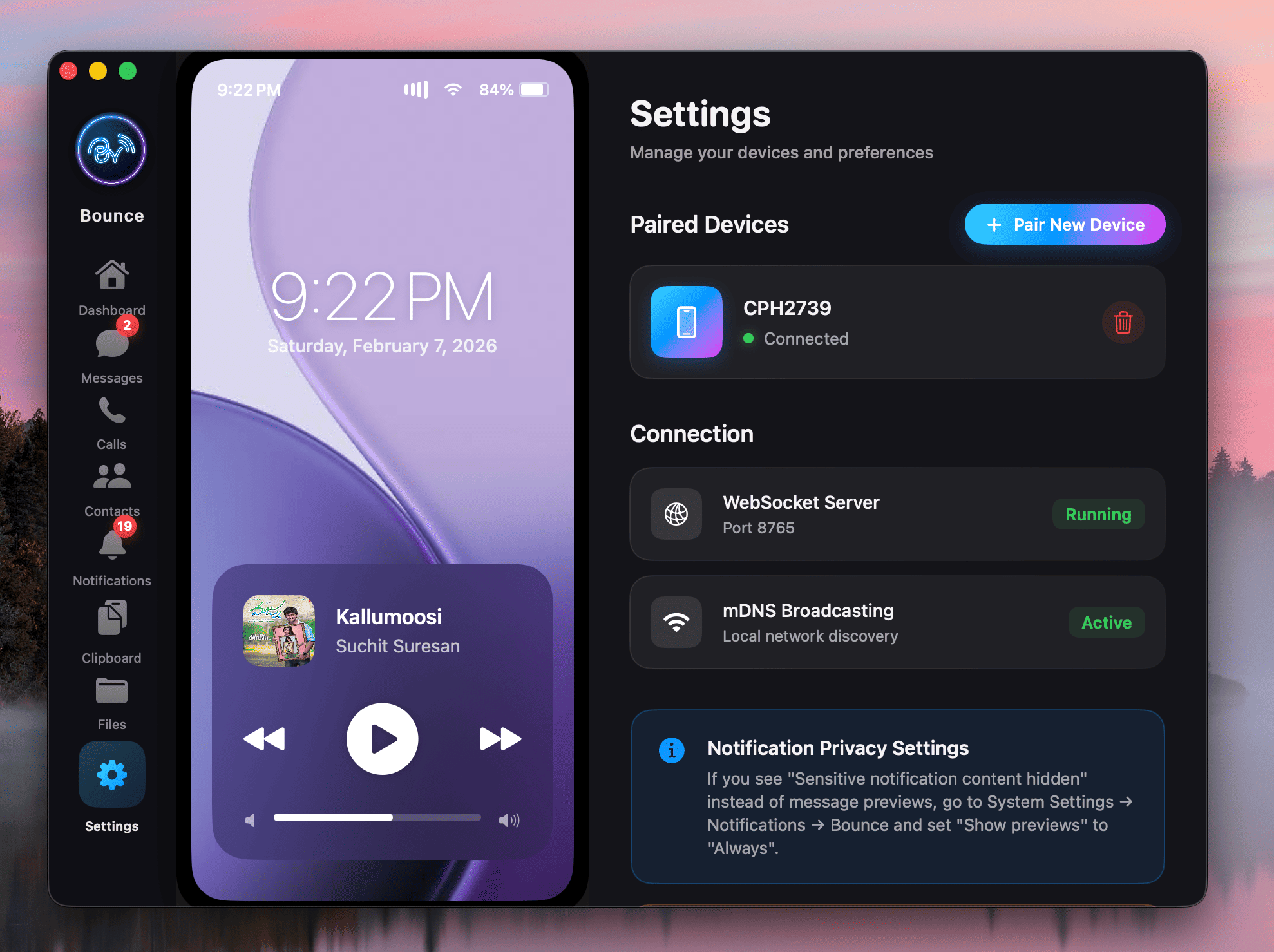
Secure Encrypted Pairing
- Mac app auto-generates a rapid QR payload. Snap the QR code using the Companion app.
- Establishes an AES-256 encrypted WebSocket tunnel instantly.
- Highly segmented corporate firewalls occasionally block Bonjour/mDNS packets, requiring the fallback manual IP configuration logic algorithm.
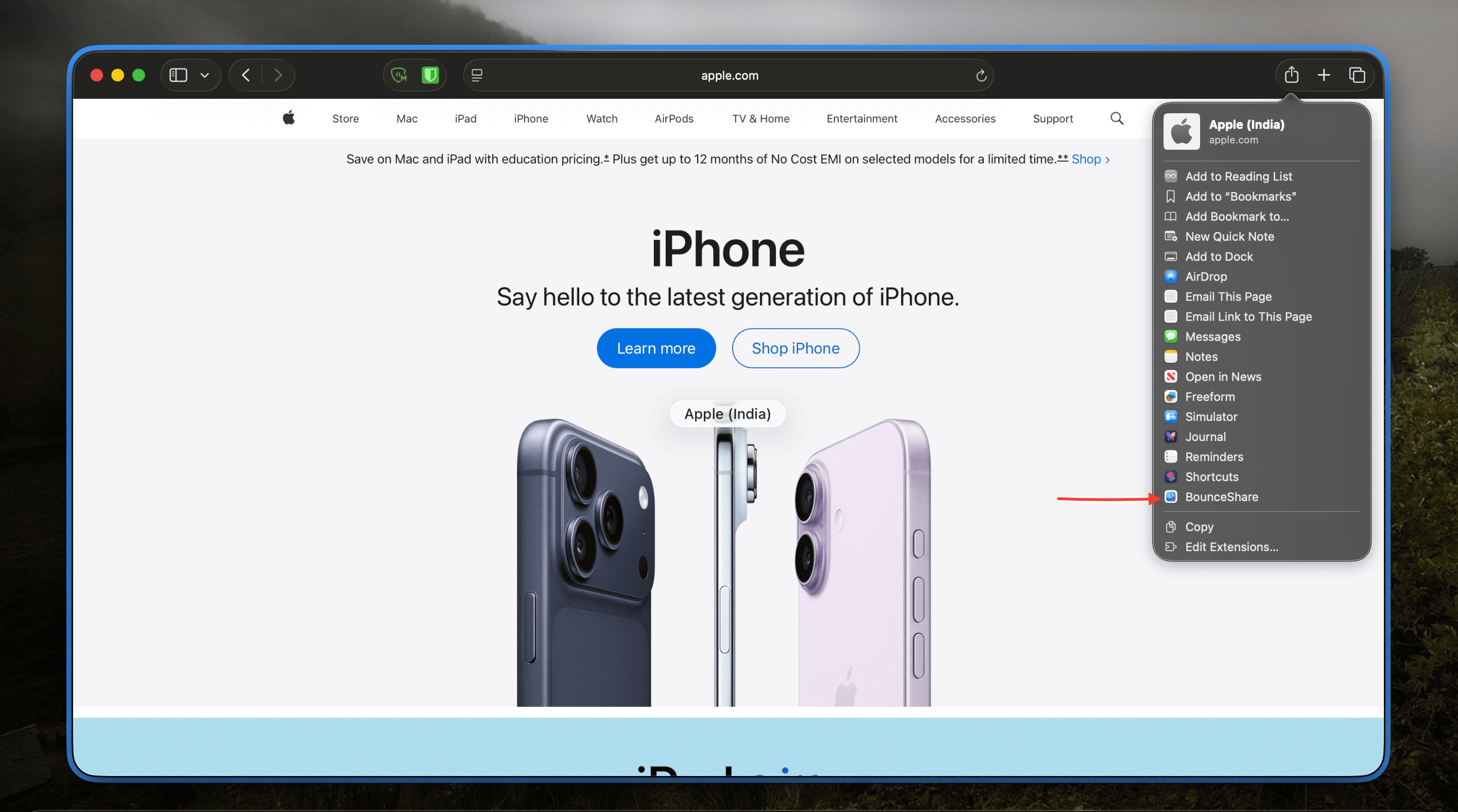
Continuity Link Sharing
- Mac-to-Android: Push current Safari/Chrome tabs via the macOS Share Extension.
- Android-to-Mac: Send browser links to macOS utilizing the Android Share menu.
- The macOS Share Extension must be manually enabled via System settings for the Mac-to-Android injection utility wrapper to function.
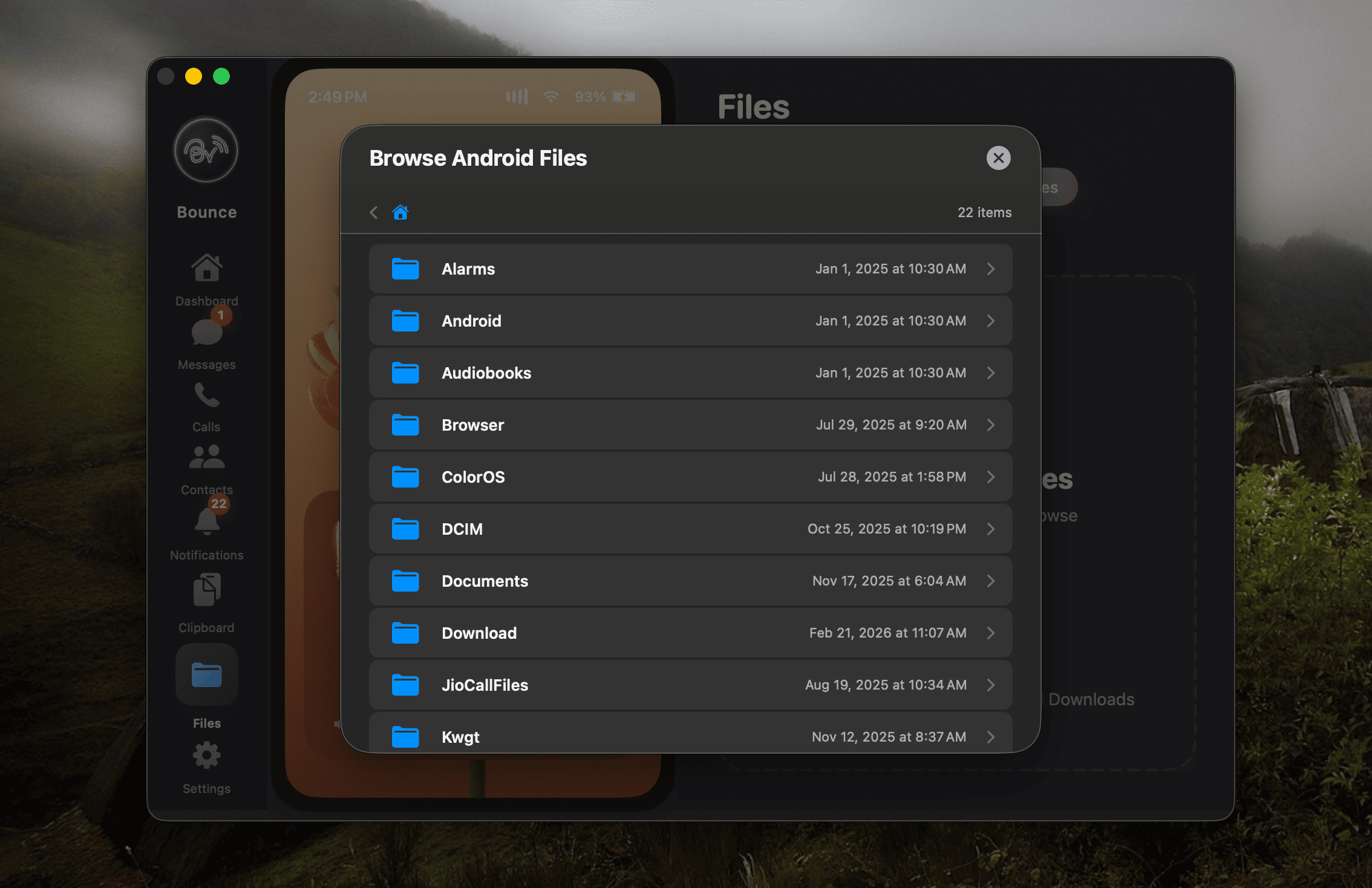
Remote File Browser
- Navigate Android directories like internal storage (DCIM, Downloads) directly from the beautiful Mac interface UI.
- Highlight items and trigger a rapid wireless pull payload to your natively macOS Desktop.
- Use one-click Folder Download to stream full directory trees instantly (no zip prepack).
- To safeguard security paradigms, strict inaccessible protected Android OS directories cannot be browsed natively.
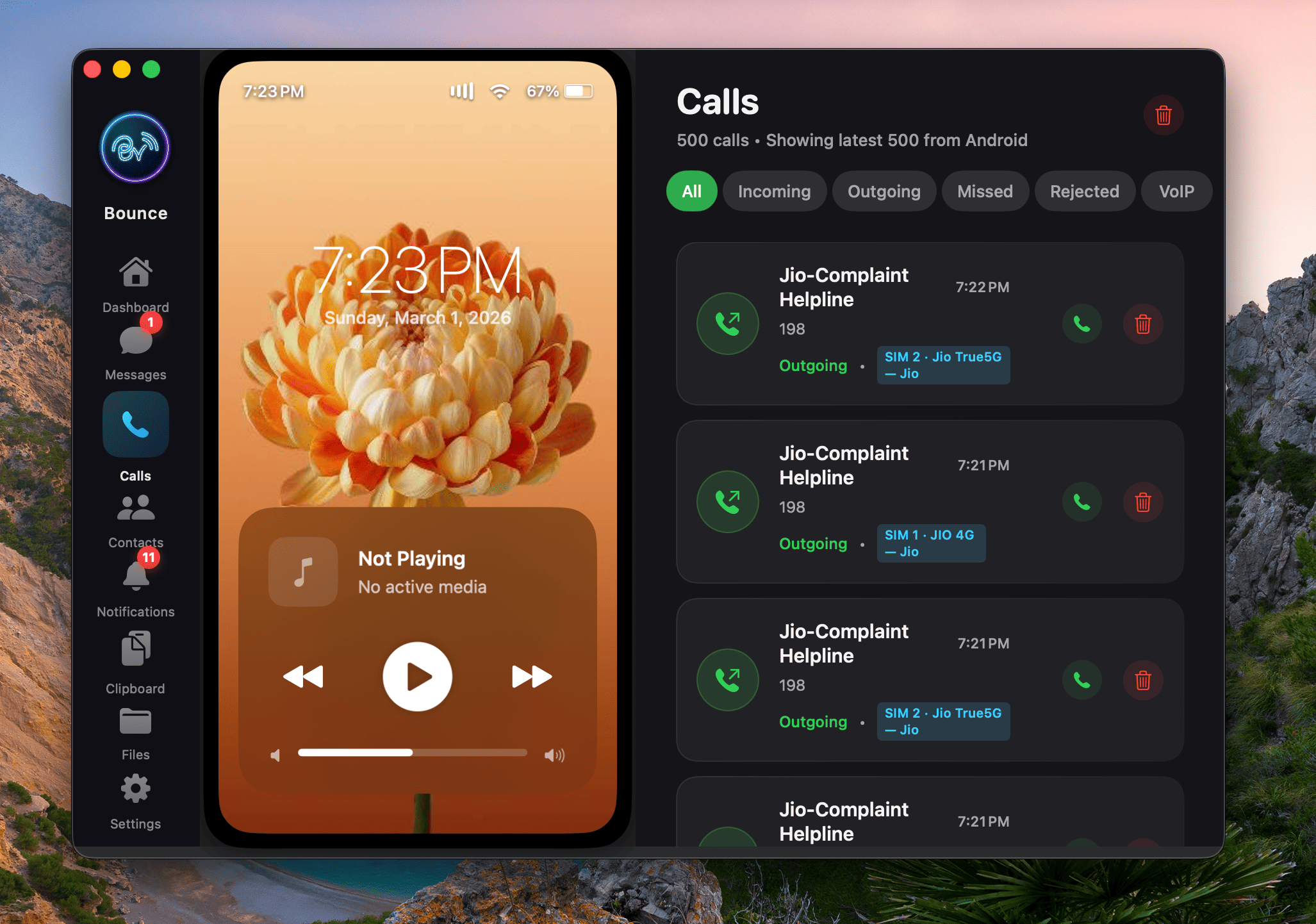
Call logs synced directly from Android
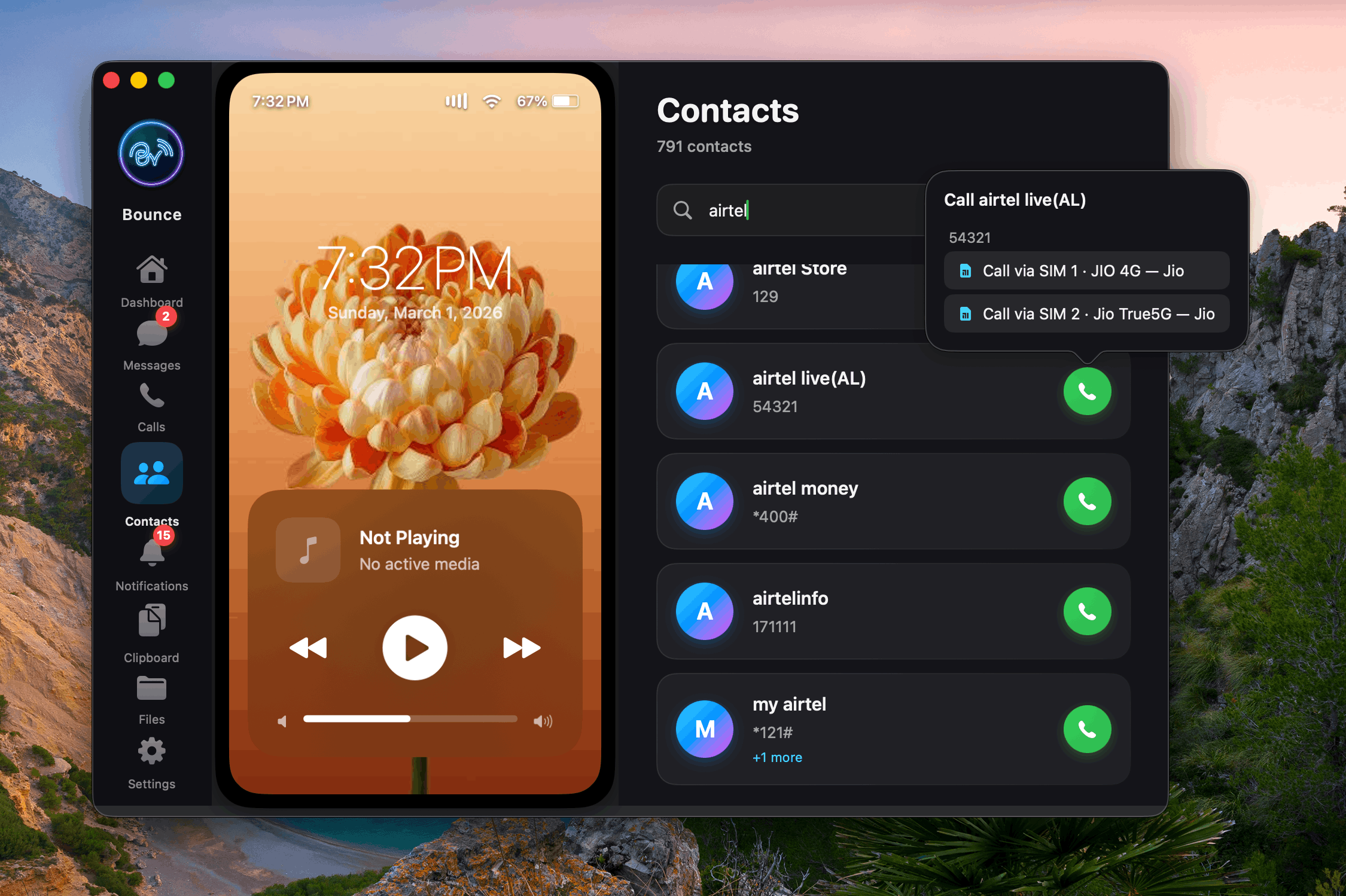
Call from any SIM
Never miss a notification.
Bounce mirrors alerts with actionable controls, keeps dismissals synced both ways, and reconciles notification state automatically after reconnect.
See what our users are saying
Real experiences from people who use Bounce every day.
"Been using this for a few weeks and it's genuinely replaced my habit of emailing files to myself. SMS from Mac, WhatsApp call alerts, clipboard sync, all just work over WiFi with no cloud involved. File transfer speed is wonderful for a $15.99 app... Worth every penny."
"Been using this for a week, battery impact is minimal thanks to the Wi-Fi lock feature, and contact syncing makes caller ID reliable on mac OS. The UI feels native, really like the dual sim feature. If you often move files between your phone and Mac, this app is worth the small price."
"Found this perfect Pushbullet replacement after a long time. Developer is open to feedback and quick to implement changes. Highly recommended."
"i was skeptical at first but went ahead after my friend suggested it. first i had issue connecting because of my firewall then i contacted the developer he/she guided me how to allow the app from firewall block then it just works. it auto reconnects when i am back home."
"i really like the app best part for me is it doesnt need wifi i am in bit rural area where there is no proper wifi availability ability to connect with hotspot is the best thing for me. thank you for making this"
"tried kde connect twice and gave up both times. this one installed and connected without me googling anything. been a few days and zero issues only small issue is it some times disconnects but almost perfect. wish i found it sooner honestly."
"I really like the app my husband recommended it. I had an issue connecting due to the firewall turned on for the app i contacted the support email and the developer calmly helped me trouble shoot it. thank you"
"Finally, my Pixel is integrated into my daily workflow with my Mac! Same basic functions as having an iPhone. The most useful thing is seeing who's calling me and answering directly from my monitor!"
"work as expected, no need to worry about apple ecosystem, as android also can be in apple ecosystem"
"Bounce Connect bridges my Android and Mac beautifully. Messages, notifications and even WhatsApp call popups appear right on my desktop, and I can reply inline without reaching for my phone. Transfers are fast and resume automatically if I lose Wi-Fi. Highly recommended for anyone who wants a tight Mac/Android workflow."
"Been using this for a few weeks and it's genuinely replaced my habit of emailing files to myself. SMS from Mac, WhatsApp call alerts, clipboard sync, all just work over WiFi with no cloud involved. File transfer speed is wonderful for a $15.99 app... Worth every penny."
"Been using this for a week, battery impact is minimal thanks to the Wi-Fi lock feature, and contact syncing makes caller ID reliable on mac OS. The UI feels native, really like the dual sim feature. If you often move files between your phone and Mac, this app is worth the small price."
"Found this perfect Pushbullet replacement after a long time. Developer is open to feedback and quick to implement changes. Highly recommended."
"i was skeptical at first but went ahead after my friend suggested it. first i had issue connecting because of my firewall then i contacted the developer he/she guided me how to allow the app from firewall block then it just works. it auto reconnects when i am back home."
"i really like the app best part for me is it doesnt need wifi i am in bit rural area where there is no proper wifi availability ability to connect with hotspot is the best thing for me. thank you for making this"
"tried kde connect twice and gave up both times. this one installed and connected without me googling anything. been a few days and zero issues only small issue is it some times disconnects but almost perfect. wish i found it sooner honestly."
"I really like the app my husband recommended it. I had an issue connecting due to the firewall turned on for the app i contacted the support email and the developer calmly helped me trouble shoot it. thank you"
"Finally, my Pixel is integrated into my daily workflow with my Mac! Same basic functions as having an iPhone. The most useful thing is seeing who's calling me and answering directly from my monitor!"
"work as expected, no need to worry about apple ecosystem, as android also can be in apple ecosystem"
"Bounce Connect bridges my Android and Mac beautifully. Messages, notifications and even WhatsApp call popups appear right on my desktop, and I can reply inline without reaching for my phone. Transfers are fast and resume automatically if I lose Wi-Fi. Highly recommended for anyone who wants a tight Mac/Android workflow."
Ready to get started?
Download Bounce Connect and experience seamless connectivity.
Frequently Asked Questions
Everything you need to know about Bounce Connect, your Mac & Android companion.
Is there a KDE Connect alternative for Mac? +
Yes — Bounce Connect is purpose-built as the best KDE Connect alternative for macOS. Unlike KDE Connect, which was not designed for Mac, Bounce Connect is written entirely in native Swift for macOS. It supports SMS syncing, WhatsApp call management, notification inline replies, universal clipboard, drag-and-drop file transfers, and a remote Android file browser — all features missing or limited in KDE Connect.
How do I connect my Android phone to my Mac? +
Download Bounce Connect on your Mac and Bounce Companion on your Android phone. Open both apps, scan the QR code shown on Mac using the Companion app, and your devices pair instantly over local WiFi. Both devices must be on the same WiFi network.
Can I send and receive Android SMS from my Mac? +
Yes. Bounce Connect gives you a full iMessage-style interface to view SMS threads and compose messages from your Mac, including dual-SIM support to choose which SIM card to send from. You can also preload supported image/video attachments from Mac. Note: this manual Send tap requirement applies only to media-attachment SMS flow. Normal text SMS from Mac is unaffected.
Does Bounce Connect work with WhatsApp calls? +
Yes. You can accept, reject, or mute both regular cellular calls and WhatsApp calls directly from your Mac. Note: audio routing is not supported — audio plays through your Android phone's current route (e.g. Bluetooth earbuds or speaker).
Does Bounce Connect send data to the cloud? +
No. Bounce Connect is 100% local. All messages, notifications, clipboard data, and files are transferred directly between your Mac and Android over your local WiFi network using AES-256-GCM encryption. Nothing passes through external servers or cloud storage.
Can I transfer files wirelessly between Android and Mac? +
Yes. Drag and drop files from Finder directly into the Bounce Connect Mac app to send them to your Android phone. On Android, select files and use the Share menu to beam them to your Mac. Note: both devices must be on the same local WiFi network.
Why do my Android and Mac keep disconnecting? +
The most common cause is Android's battery optimization killing the Bounce Companion app while the screen is off. improve it by going to Settings → Battery → Apps → Bounce Companion and setting it to Unrestricted. Also go to App info enable Allow background activity. Both settings are required for a stable connection.
Why does my device reconnect slowly sometimes? +
Bounce is designed to be extremely battery-efficient. When you first move away from your Mac, the app starts with frequent reconnection attempts. However, if it hasn't found your Mac after a few minutes, it enters a "Deep Sleep" mode where it only checks once every 5 minutes.
If you just returned to your Mac, it might take up to 5 minutes to automatically "find" each other again because of this cycle. Additionally, if Android kills the app to save memory, we use a low-power Alarm Nudge to wake it up and check for your Mac periodically—this process ensures your battery stays healthy all day, though it can introduce a slight reconnection delay.
Real-world example: Think of it like a persistent friend—they might knock on your door every minute at first, but if nobody answers, they'll only check back once every hour to avoid wasting their own time and energy!
Can I browse my Android phone files from Mac? +
Yes. The Remote File Browser lets you navigate Android directories (DCIM, Downloads, etc.) directly from the Mac interface and pull files to your Mac wirelessly. Note: protected system directories cannot be accessed for security reasons.
Does clipboard sync work both ways? +
Mac-to-Android clipboard sync works automatically for both text and images. Android-to-Mac is limited to text only due to Android's background app restrictions — highlight text on Android, tap Share, and select Bounce to push it to your Mac's clipboard.
What are the system requirements? +
The Mac app requires macOS 14.6 Sonoma or later. The Android companion app requires Android 8.0 Oreo or higher. Both devices must be connected to the same WiFi network (or one device using a mobile hotspot).
How much does Bounce Connect cost? +
Bounce Companion for Android is a one-time purchase of $15.99 lifetime.
The Mac app works exclusively with the Android companion app — purchase on the Play Store to unlock the full Bounce Connect experience.